



Centralized endpoint management for state, regional & local government agencies with SecuriDesk
SecuriDesk brings government endpoint management into a single console: inventory, standardize, patch and support every device across agencies, departments and community services — without adding headcount.
Government endpoint management from one console, across your whole jurisdiction
Government IT teams manage complex, distributed environments spanning agencies, departments and community services — often with flat budgets and limited staff. SecuriDesk consolidates inventory, configuration, software deployment, patching and end-user support into a single platform, giving you full visibility and control while reducing manual work and keeping every system secure and compliant.
Beyond Windows workstations: servers, Linux, mobile devices and Macs
SecuriDesk now natively manages your organization’s Windows servers, Linux servers and Linux workstations. Your staff’s Android and iOS mobile devices and your Apple workstations are integrated through SecuriDesk APIs and partners.
See the supported platforms →What really matters in government endpoint management
Do you know exactly what makes up your agency's device fleet today?
Are all endpoints compliant with your configuration standards?
Do you control which applications are installed across departments?
Can you guarantee every software update is actually applied?
Are your security patches verified as completed, not just deployed?
Are your employees self-sufficient for simple, recurring IT requests?
See every device across every agency, automatically
Government fleets span city halls, satellite offices, schools and field teams. SecuriDesk continuously collects and centralizes hardware and software data so your inventory always reflects reality.
- Real-time visibility into hardware and installed software versions
- Instant access to any device's configuration without contacting the end user
- Location and site-level tracking across a distributed jurisdiction
- No more manual spreadsheets or outdated asset registers


A consistent, compliant configuration for every department
A uniform fleet doesn't mean identical devices. Define standards by department or role and let SecuriDesk detect and correct configuration drift automatically.
- Detect deviations from defined configuration baselines
- Push changes to hundreds or thousands of endpoints at once
- Different profiles for different agencies, roles or device types
- Rapidly restore any device to a compliant state
Give staff the right tools without losing IT control
Central IT defines which applications are available and how they're delivered — employees gain autonomy inside a governed, auditable framework.
- Curated, self-service software catalogs by department or role
- Prevent unauthorized or shadow IT installations
- Reduce level-1 support tickets tied to software requests
- Maintain an accurate, enforced application catalog over time


Keep every application current, without manual follow-up
SecuriDesk automates update deployment according to your rules and priorities, minimizing disruption for public-facing and back-office staff alike.
- Scheduled or urgent updates, deployed without user disruption
- Confirmation that updates were actually executed, not just sent
- Flexible policies by site, device group or usage pattern
- Free up IT staff currently tied to manual update tracking
Verify remediation, not just deployment
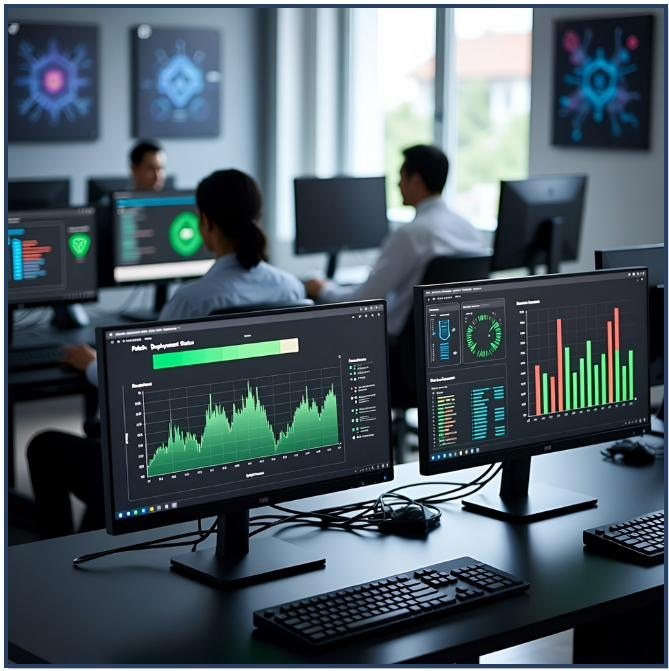
A patch sent isn't necessarily a patch installed. SecuriDesk tracks every operation device-by-device, giving you the audit trail regulators and citizens expect.
- Immediate visibility into which endpoints missed a critical patch
- Automatic handling of failed installation attempts
- Identify exposed devices before they become an incident
- Exportable, audit-ready compliance and remediation records

Reduce level-1 tickets with a built-in support companion
Give every employee a first line of assistance directly from their device, built on the knowledge base you choose, while keeping all data inside a controlled environment.
- Instant answers to common, recurring IT questions
- Centralized, searchable internal documentation and FAQs
- Fewer routine tickets reaching your help desk
- Data stays within your governed, secure environment
"To manage the IT estate of the Ardennes middle schools, with more than 3,200 computers, the Ardennes Departmental Council was looking for a solution to monitor and strengthen the security of its IT equipment. With SecuriDesk, LogoSapience helped us reconcile our high-security objectives with the specific needs of academic users."
Hervé Cordebar, CIO, Ardennes Departmental Council (France) — translated from French
Government endpoint management built for public accountability
Every action taken by SecuriDesk is logged, creating a complete audit trail that supports regulatory reporting and citizen accountability. Granular policies let you align remediation with your organization's own risk tolerance and off-hours schedules — without adding infrastructure or headcount.
Talk to our team about complianceGovernment endpoint management: frequently asked questions
What is government endpoint management?
Government endpoint management means inventorying, configuring, updating, patching and supporting every device used by public agencies from one console. SecuriDesk brings these tasks together in a single platform for state, regional and local government IT teams.
How do state and local governments manage device fleets across departments?
With SecuriDesk, central IT sees every device across agencies, sites and departments in one console. Moreover, you can define different configuration profiles by agency, role or device type and push changes to hundreds or thousands of endpoints at once.
How can government agencies secure their endpoints?
Start with a complete, up-to-date inventory, then enforce configuration baselines and verify every security patch device by device. SecuriDesk flags endpoints that missed a critical patch, automatically handles failed installation attempts and keeps exportable, audit-ready remediation records.
How should I choose an endpoint management solution for government agencies?
Look for a single console that covers your whole fleet, works across agencies and departments, and proves that patches are actually installed. For example, SecuriDesk combines automated inventory, configuration baselines, software catalogs, automated updates, verified patching and an end-user support companion. See all SecuriDesk features.
Which devices can SecuriDesk manage?
SecuriDesk natively manages Windows workstations and servers, as well as Linux servers and workstations. In addition, Android and iOS mobile devices and Apple workstations are integrated through SecuriDesk APIs and partners.
How do I get started with government endpoint management in SecuriDesk?
Book a demo to discuss your agency’s environment, or contact our team. Then, review our pricing to plan your rollout.
Take back control of your government endpoint management
Let's discuss your agency's environment and see how SecuriDesk addresses inventory, standardization, patching and support in one platform. SecuriDesk also serves MSPs and MSSPs and small and medium-sized enterprises.